
How to Install Claude Code on Linux (Beginner's Guide)

Tested on: Ubuntu 20.04+, Debian 10+, Fedora, Arch Linux · no Node.js required · Last updated: September 2026
Claude Code is Anthropic's official CLI that brings Claude directly into your terminal. It reads your project files, writes and edits code, runs shell commands, and explains what it's doing: all without leaving your shell session. This guide is written for total beginners: it assumes you've never installed a command-line tool before, walks through every step with a picture of what your terminal should show, and tells you upfront what you actually need (including the part most guides skip: Claude Code needs a paid Claude plan, not the free one). Prefer a graphical app over the terminal? Claude Desktop is now on Linux too, running the same engine with visual diff review and an integrated editor: currently in beta for Debian and Ubuntu.
Want to run this on a remote server instead of your local machine? Check our comparison of the best Linux VPS hosting providers for 2026: several options include GPU instances for AI workloads.
- What You Need Before You Start
- Step 1: Open a Terminal
- Step 2: Install Claude Code
- Step 3: Verify the Installation
- Step 4: Log In to Your Anthropic Account
- Step 5: Start Your First Session
- Ending a Session, and Coming Back Tomorrow
- What Claude Code Actually Does
- Slash Commands
- CLAUDE.md: Per-Project Configuration
- Non-Interactive Mode: One-Shot Commands
- IDE Integration
- Permissions and Safety
- Tracking Usage and Cost
- Keeping Claude Code Updated
- Claude Code vs Alternatives
- Troubleshooting Common Beginner Questions
- The install command does nothing, or fails immediately
- claude: command not found after installing
- The browser doesn't open, or I'm on a remote server
- Is Claude Code free?
- Does Claude Code send my code to Anthropic?
- Does it work on remote servers over SSH?
- Something looks broken: how do I check what's wrong?
- Does Claude Code work with local, offline models?
- What to Do Next
What You Need Before You Start
Four things, and that's it:
- A computer running Linux: Ubuntu, Debian, Fedora, Arch, or most other distros. Officially tested on Ubuntu 20.04+, Debian 10+, and Alpine Linux 3.19+, but the installer is a single binary that works the same way on Fedora and Arch too.
- A terminal window open. If you don't know what that is yet, Step 1 below shows you.
- An internet connection: Claude Code talks to Anthropic's servers for every request, there's no offline mode.
- A paid Claude account: Pro (from $17/month billed annually, $20/month billed monthly), Max (from $100/month), Team, or Enterprise. You can also pay as you go with a Claude Console API key instead of a subscription. The free claude.ai plan does not include Claude Code: this trips up a lot of first-time users, so it's worth knowing before you install anything.
Just want to try it before committing to anything? Don't sign up for an annual plan on day one. Either pick Claude Pro billed monthly ($20, cancel any time from your account settings if it's not for you), or skip the subscription entirely and create a Claude Console account instead: that route is pay-as-you-go by token, so a short trial session costs you only what you actually use, and you can set a hard spend limit before you start so there's no risk of a surprise bill.
Step 1: Open a Terminal
The terminal is the black (or dark) window where you type text commands instead of clicking icons. Every Linux desktop has one built in:
- Ubuntu / GNOME: press
Ctrl+Alt+T, or open the Activities menu and type "Terminal" - Fedora / GNOME: same as above,
Ctrl+Alt+Tor search "Terminal" - KDE Plasma (Kubuntu, KDE distros): search "Konsole" in the application launcher
- Arch / other window managers: whatever terminal emulator your setup ships with, Alacritty, Kitty, Foot, or GNOME Terminal are all common
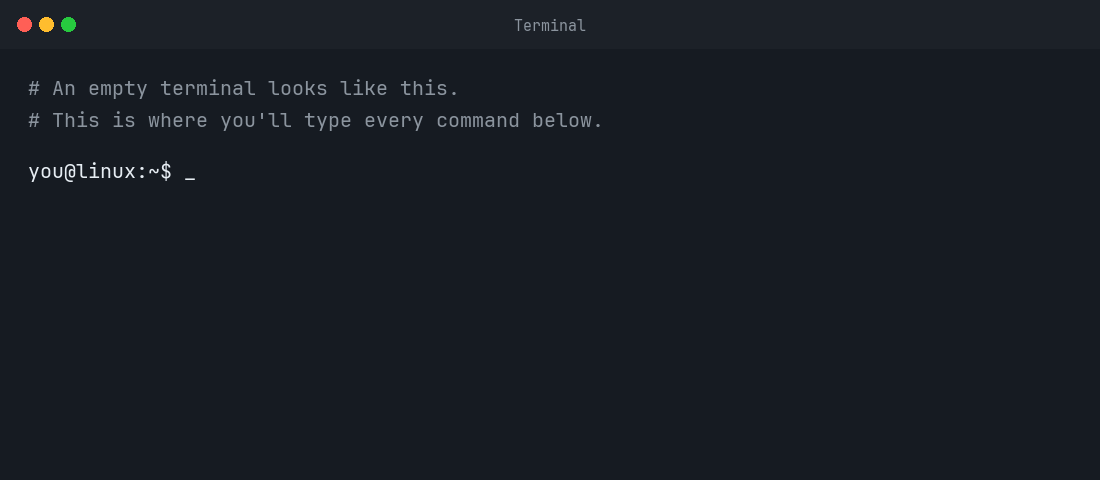
Once it's open, you'll see a prompt: usually something like yourname@computer:~$, waiting for you to type. Every command in this guide gets typed there, followed by pressing Enter. One tip that saves real frustration: pasting into a terminal is usually Ctrl+Shift+V, not the regular Ctrl+V you use everywhere else.
Step 2: Install Claude Code
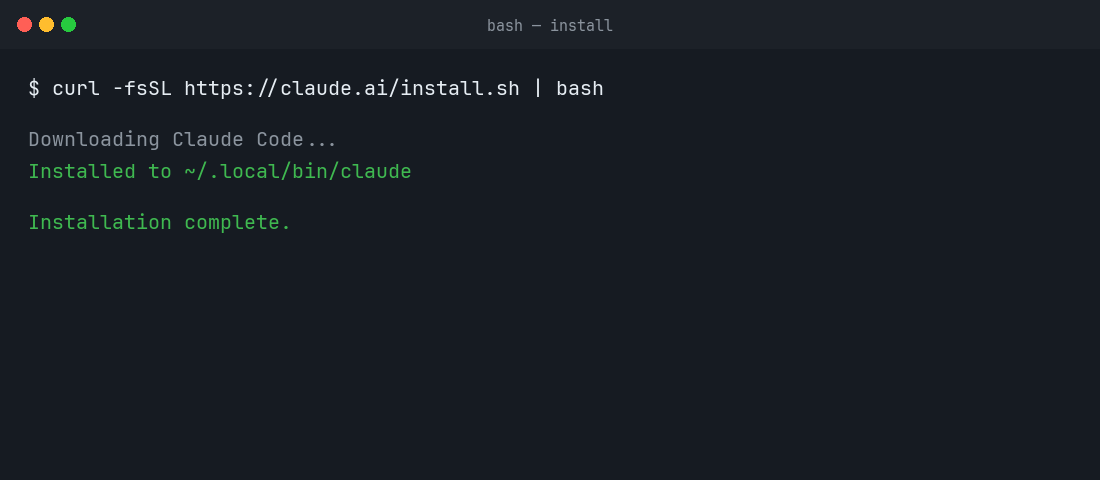
Anthropic's recommended method is a single install script: it downloads a self-contained program, so unlike older guides you may find online, you do not need to install Node.js first. Paste this into the terminal you just opened and press Enter:
curl -fsSL https://claude.ai/install.sh | bashThis downloads the installer and runs it in one step. It places the claude program at ~/.local/bin/claude and, unlike the alternatives below, keeps itself updated automatically in the background from then on.
Already have Node.js? You can use npm instead
If you're a developer who already has Node.js 22 or later installed, the npm package installs the exact same program:
npm install -g @anthropic-ai/claude-codeDon't use sudo with this command: if you get a permission error, your npm global directory isn't writable by your user, which usually means switching to a Node version manager like nvm instead of your distro's system Node.js. Homebrew (brew install --cask claude-code) and native apt/dnf/apk repositories are also available if you'd rather manage Claude Code through your regular package manager: see the official setup docs for the exact repository setup on each.
Step 3: Verify the Installation
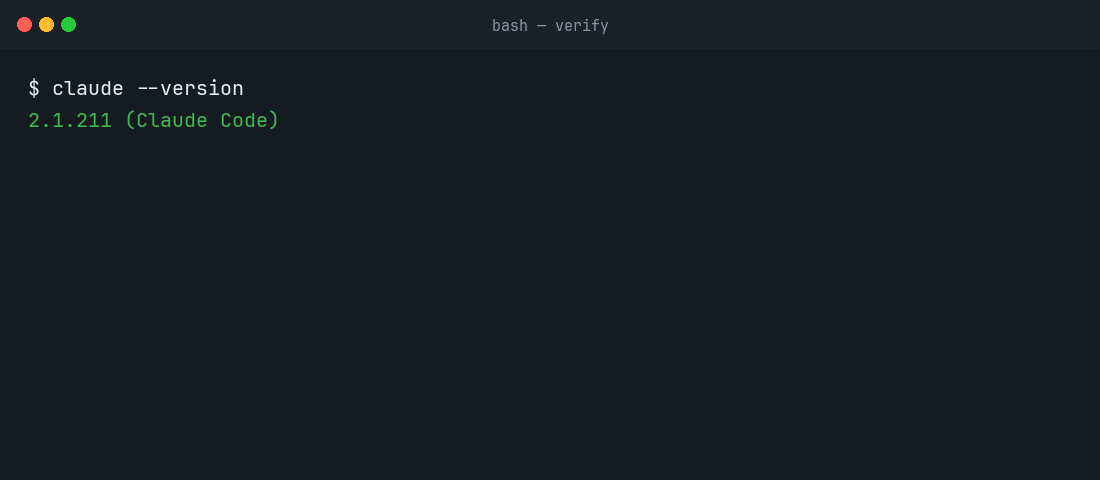
Check that it installed correctly:
claude --versionA working install prints a version number, something like 2.1.211 (Claude Code). If instead you see command not found, jump to the Troubleshooting section near the end of this guide: it's almost always a one-line fix.
Step 4: Log In to Your Anthropic Account
Run claude for the first time:
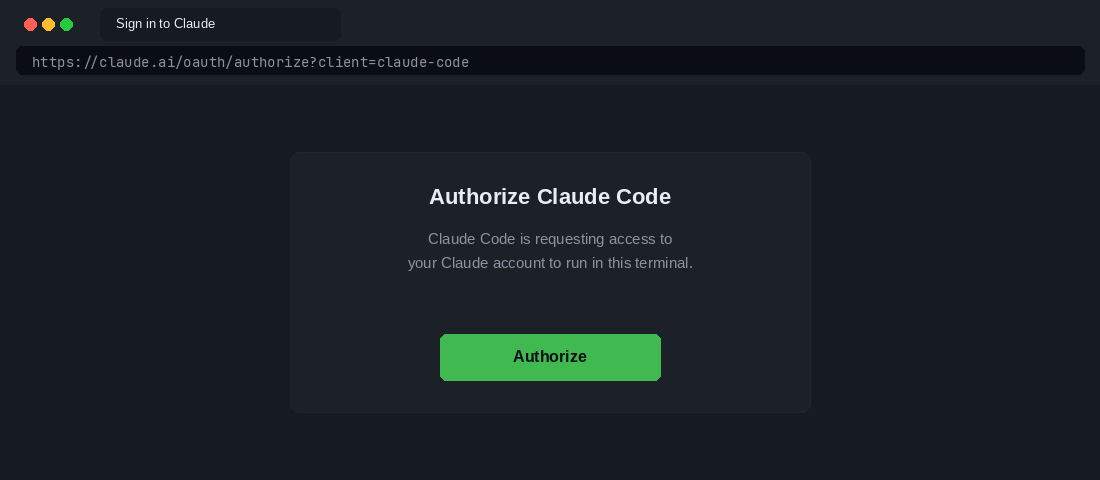
claudeIt opens your web browser and asks you to log in with your Claude account (the same login as claude.ai, or your Claude Console account if you're paying by API credits instead of a subscription). Approve it in the browser, then switch back to the terminal: you're logged in.
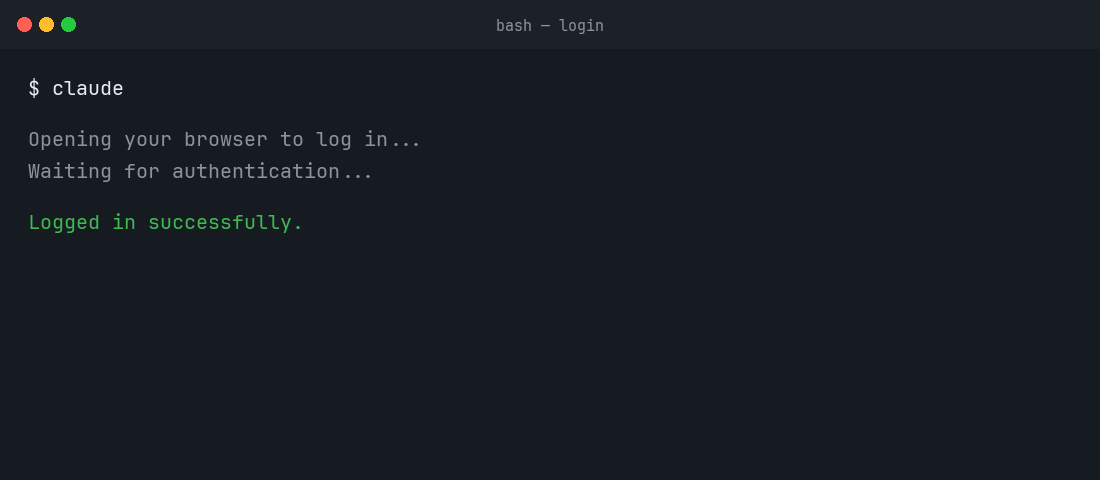
This is roughly what that browser tab looks like, sign in (or you'll already be signed in if you use Claude in your browser), then click through to authorize:
No browser available: a headless server, a remote SSH session? Use an API key instead:
# Get your key from console.anthropic.com → API Keys
echo 'export ANTHROPIC_API_KEY=sk-ant-your-key-here' >> ~/.bashrc
source ~/.bashrc
claude --version
Once logged in, your session is remembered: you won't be asked again. To switch accounts later, type /login inside a running Claude Code session.
Step 5: Start Your First Session
Move into a real project folder, not your home directory, and start Claude Code there. Don't have a project handy? You don't need a real one to try this out, create a throwaway folder with a single file:
mkdir ~/claude-test && cd ~/claude-test
echo 'print("hello")' > app.py
Either way, start Claude Code inside that folder:
cd ~/my-project
claude
You're now in an interactive session. Claude Code has already read your project's file structure. Start with a question, no special syntax, just plain English:
> what does this project do?Once you've seen it explain your code correctly, try asking it to actually change something:
> add a hello world function to the main fileClaude Code finds the right file and shows you the exact change before making it, then asks you to approve it. Nothing gets written to disk silently.
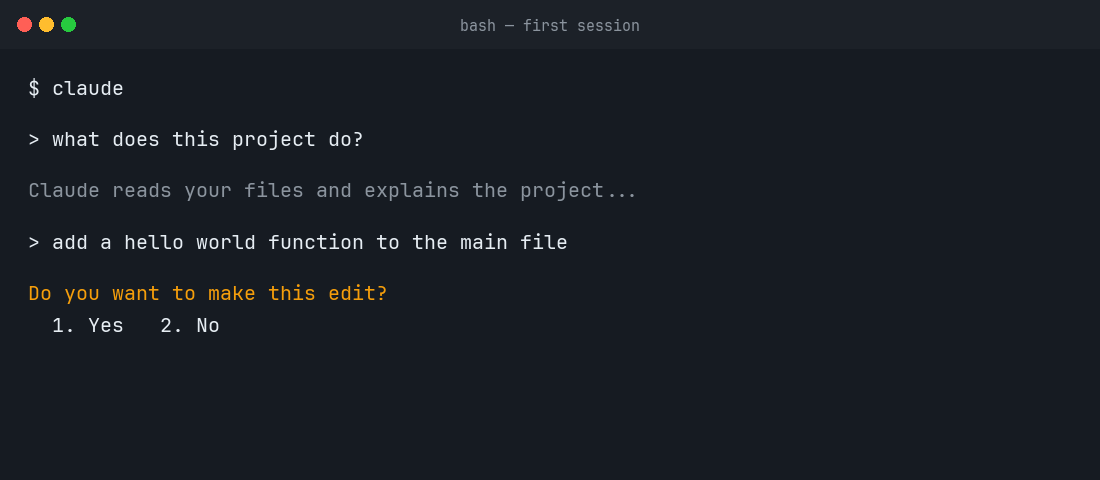
One nuance worth knowing: on Pro, Max, and Team plans, Claude Code starts in Auto mode by default, an automatic reviewer approves routine, low-risk actions for you instead of asking every single time. You'll still be asked before anything destructive. Press Shift+Tab at any point to cycle to a stricter mode that asks about everything, if you'd rather approve each change by hand while you're still learning how it behaves.
Ending a Session, and Coming Back Tomorrow
When you're done, type /exit (or press Ctrl+D twice) to close the session and return to your normal terminal prompt. Nothing needs to be shut down or saved manually: it just ends.
There's no separate "reinstall" step for next time. Whenever you want to use Claude Code again, later today, next week, whenever, the whole routine is:
cd ~/my-project
claude
You're already logged in, so it drops you straight into a session. If you want to pick up exactly where a previous conversation left off in that same folder, use claude -c instead of plain claude.
What Claude Code Actually Does
Unlike a chatbot you paste code into, Claude Code runs in your terminal with access to your actual filesystem. It can:
- Read any file in your project directory
- Write and edit files directly: no copy-pasting
- Run shell commands and read their output
- Search your codebase for patterns, functions, and references
- Work across multiple files in a single instruction
- Create, move, and delete files
- Run your test suite and fix failures iteratively
The key difference from GitHub Copilot or Cursor: Claude Code works in any terminal, any editor, any environment, including remote servers over SSH. If you can open a shell, you can use it.
Slash Commands
Inside a session, slash commands control Claude Code's behaviour:
| Command | What it does |
|---|---|
/help | Show all available commands |
/login | Switch accounts or re-authenticate |
/clear | Clear conversation history (reduce token usage) |
/compact | Compress history to save context without losing key info |
/cost | Show tokens used and estimated cost for this session |
/status | Show current model, context usage, and session info |
/model | Switch between Claude models (Opus, Sonnet, Haiku) |
/add-dir | Add another directory to the context |
/review | Review all changes made in this session |
/undo | Undo the last file change |
/exit or /quit | End the session |
CLAUDE.md: Per-Project Configuration
This is the feature most guides skip. A CLAUDE.md file in your project root gives Claude Code persistent context about your project. Every session reads it automatically: you don't have to re-explain your stack, conventions, or rules each time.
touch CLAUDE.mdA useful CLAUDE.md for a Python project:
# Project: MyApp API

## Stack
- Python 3.12, FastAPI, PostgreSQL
- SQLAlchemy 2.0 (async), Alembic for migrations
- pytest for testing, ruff for linting

## Conventions
- All endpoints return JSON with { "data": ..., "error": null } shape
- Use snake_case for variables, PascalCase for classes
- Never use print(), use the logger from app/logging.py
- All database calls must go through the repository layer in app/repos/

## Commands
- Run tests: pytest tests/ -v
- Lint: ruff check . && ruff format .
- Start dev server: uvicorn app.main:app --reload

## What not to touch
- Do not modify alembic.ini
- Do not edit files in app/generated/ (they are auto-generated)
With this file in place, Claude Code knows your conventions without being told. It won't use print() instead of the logger, won't bypass the repository layer, and won't touch the generated files.
Non-Interactive Mode: One-Shot Commands
The -p flag runs a single instruction and exits, useful for scripts, CI pipelines, and repeatable tasks:
# Run a single task and exit
claude -p "add type hints to all functions in src/utils.py"

# Pipe output to a file
claude -p "generate a changelog from the git log since v1.2.0" > CHANGELOG.md

# Use in a shell script
claude -p "update the version number in pyproject.toml to $NEW_VERSION"

# Run tests and fix failures automatically
claude -p "run the test suite and fix any failing tests"
IDE Integration
Once you're comfortable in the terminal, Claude Code also plugs into your editor without changing anything about how it works underneath: same authentication, same CLAUDE.md, same capabilities.
- VS Code: search for Claude Code in the Extensions panel (
Ctrl+Shift+X) - JetBrains IDEs (IntelliJ IDEA, PyCharm, WebStorm, GoLand…): search for Claude Code in Settings → Plugins → Marketplace
- Any other editor: you don't need an extension at all, run
claudein the integrated terminal inside Neovim, Emacs, or anything else. It behaves identically.
Permissions and Safety
Claude Code asks for confirmation before taking potentially destructive actions:
- Reading files: always allowed, no confirmation needed
- Writing files / running routine commands: on Pro, Max, and Team plans, Auto mode approves these for you by default; on other accounts, you confirm each one
- Destructive operations (deleting files, risky commands): always requires your explicit approval, regardless of mode
You can always see what Claude Code is about to do before it does it. The /review command shows every file change made in the current session, and Shift+Tab switches permission modes on the fly if you want tighter control.
Tracking Usage and Cost
Usage is metered in tokens, on top of whatever subscription or API credits you're using. Check current spend during a session with /cost:
> /cost
Session cost: $0.43
Input tokens: 48,231
Output tokens: 2,847
Cost depends heavily on what you're doing: reading and understanding a large codebase uses far more input tokens than writing a small function. /compact periodically compresses the conversation history to cut token usage without losing important context. If you're on the Console/API pay-as-you-go route rather than a subscription, set spend limits at console.anthropic.com → Settings → Billing to avoid surprises.
Keeping Claude Code Updated
If you installed with the native script from Step 2, you don't need to do anything: it updates itself automatically in the background. To force an update immediately:
claude updatenpm, Homebrew, and Linux package manager (apt/dnf/apk) installs don't auto-update, update them the same way you installed them:
# npm
npm install -g @anthropic-ai/claude-code@latest

# Homebrew
brew upgrade claude-code
Claude Code vs Alternatives
| Tool | Works in terminal | Works over SSH | Edits files directly | Offline support |
|---|---|---|---|---|
| Claude Code | Yes (native binary) | Yes | Yes | No |
| GitHub Copilot CLI | Yes | Yes | No (suggestions only) | No |
| Cursor | No (IDE only) | No | Yes | No |
| Aider | Yes (native) | Yes | Yes | With local model |
| Continue.dev + Ollama | No (IDE only) | No | Yes | Yes (fully offline) |
Claude Code's strength is the combination of terminal-native operation, direct file editing, and access to Claude's reasoning. If you need offline AI coding assistance, pair it with Ollama for local models: use Claude Code when connected, Ollama when offline.
Troubleshooting Common Beginner Questions
The install command does nothing, or fails immediately
You're most likely missing curl. Install it with your distro's package manager, then rerun the install command from Step 2:
# Ubuntu / Debian
sudo apt install curl

# Fedora
sudo dnf install curl

# Arch
sudo pacman -S curl
claude: command not found after installing
The native installer puts the program at ~/.local/bin/claude, which needs to be on your shell's PATH. Closing and reopening your terminal fixes this most of the time; if it doesn't, add it manually:
echo 'export PATH="$HOME/.local/bin:$PATH"' >> ~/.bashrc
source ~/.bashrc
The browser doesn't open, or I'm on a remote server
Headless servers and most SSH sessions can't open a local browser. Use the API key method shown in Step 4 instead of the browser login.
Is Claude Code free?
No, installing it is free, but using it requires a paid Claude plan (Pro from around $17–20/month, Max from $100/month, Team, or Enterprise) or a Console API account billed by usage. The free claude.ai plan does not include Claude Code access. Check claude.com/pricing for current numbers before you commit.
Does Claude Code send my code to Anthropic?
Yes, the files Claude Code reads are sent to Anthropic's API as part of the context. Don't use it on projects with credentials, private keys, or data covered by strict confidentiality agreements unless your organisation has an enterprise agreement with data processing terms.
Does it work on remote servers over SSH?
Yes, identically to running it locally. SSH into the server, run the same install command from Step 2, authenticate with an API key, and it reads files on the remote machine, not your local one.
Something looks broken: how do I check what's wrong?
Run the built-in diagnostic command from your regular shell (not inside a Claude Code session):
claude doctorIt checks your install health and settings files without starting a session, and tells you exactly what's misconfigured.
Does Claude Code work with local, offline models?
No. Claude Code requires Anthropic's API and an internet connection. For fully offline AI coding assistance, use Aider or Continue.dev with a local Ollama backend instead.
What to Do Next
Once Claude Code is running, the first thing worth doing is creating a CLAUDE.md in your main project: it immediately makes every session more useful by eliminating the need to re-explain your stack each time. Then try the one-shot mode with -p for a repeatable task like running tests and fixing failures, and check /cost after a working session to calibrate how much you're spending.
For offline AI that works without internet, install Ollama alongside Claude Code: local models for quick questions and syntax, Claude Code for the heavy reasoning work that needs it.
Further Reading

JM Carreira
I’ve used Linux since 2008 and it has been my main system since 2021. When an article has a “Tested on” box, I ran the steps on my Lenovo Tiny. More about me and the test machine.